Miniflux is an open source RSS reader (our favorite btw) that’s written in Go, has a paid hosted offering, and is run by a single developer. Naturally we’re biased to this type of product as it’s right up our alley.
Last year we submitted a pull request to integrate LinkTaco into the Miniflux application. Sadly I just realized we never actually announced this to our users. So here I am trying to rectify that situation, albeit almost a year later. Oops.
The PR was accepted, merged and deployed. I’ve been using it on my account faithfully and in my heavily biased opinion, it’s awesome. So let me show you how you can use it too.
First you need to get yourself a personal access token. Just login to your LinkTaco account and head to your personal access tokens page (Settings -> OAuth -> Personal Tokens). Click “Add”, add a comment so you know what the token is used for (ie, “Miniflux w/ LinkTaco RULES!”, just a suggestion), and hit save. You’ll need to save the token on the next page as you’ll never see it again. Be sure you save it securely because if someone finds that token, they can use the LinkTaco API as you. So guard it securely!
Next, login to your Miniflux account. Head to Settings -> Integrations. Scroll down and find the LinkTaco section and click the arrow to expand it. It should look like this:
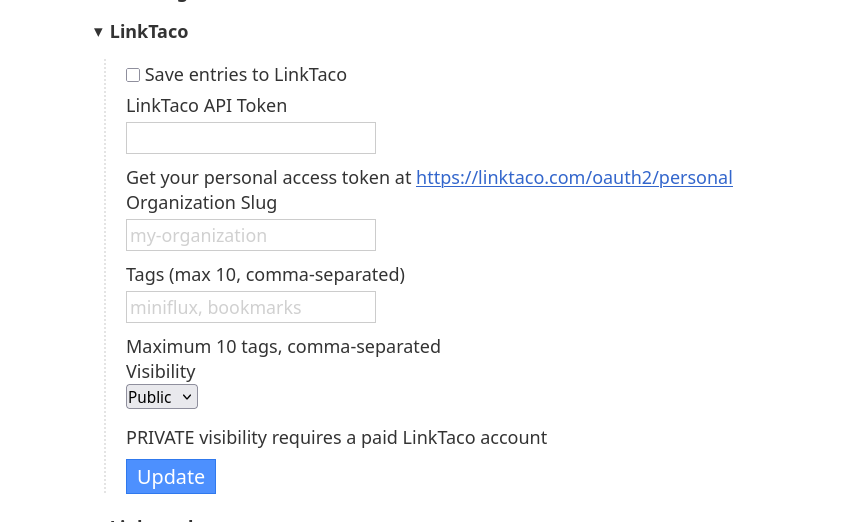
Click the “Save entries to LinkTaco” checkbox, Enter your details and click the “Update” button.
Note: You need specify which organization you want Miniflux to save in, that’s why it’s asking for the slug. Since in LinkTaco you can own virtually unlimited organizations to group your links, you need to specify which one you want Miniflux to save to. If you’re not sure of the slug, then in LinkTaco, just go to your organizations page (Settings -> Organizations).
Once that’s done you can go back to using Miniflux like normal. When you have an article you want to save to LinkTaco simply click the “Save” link on the article page (under the article title, in between “Star” and “Share”). That’s it. It will be synced to LinkTaco in the background.
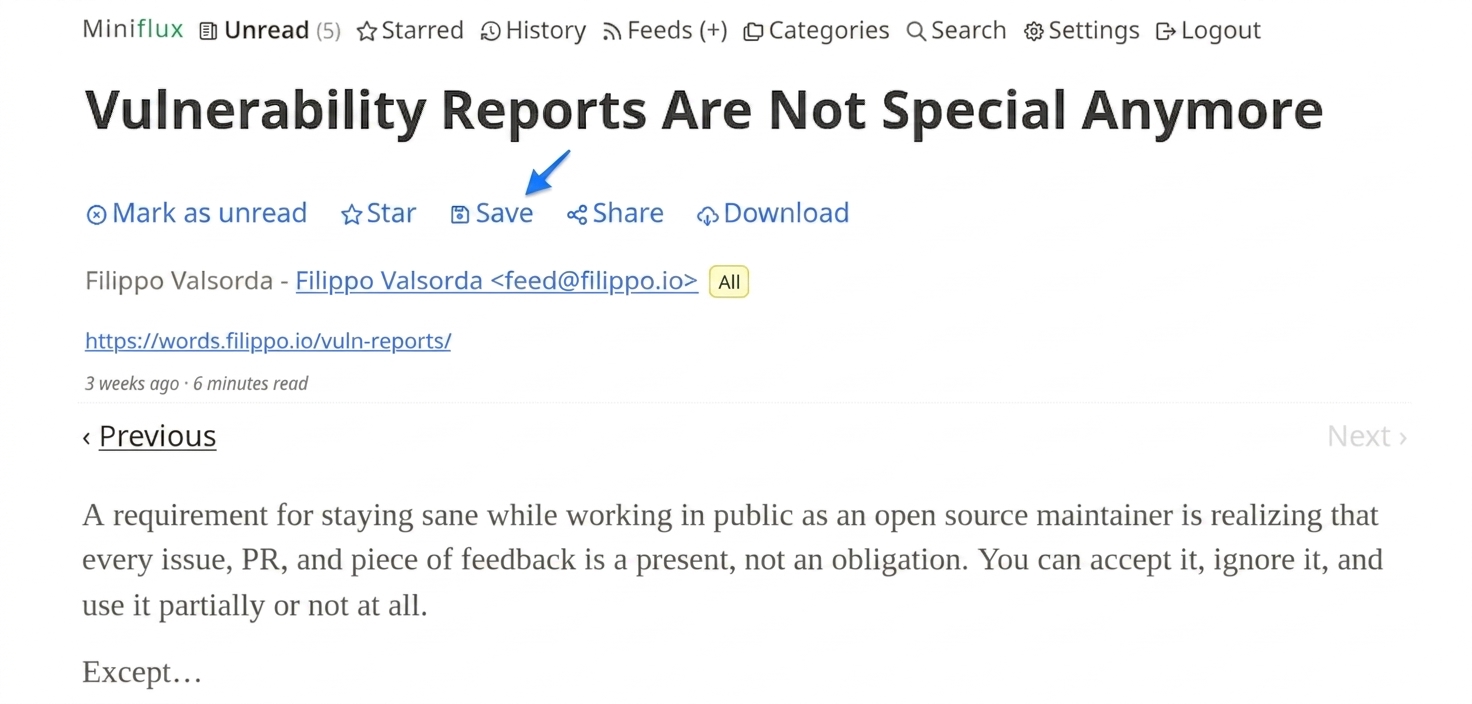
That’s it. It will be synced to LinkTaco in the background. Nothing crazy but just another way to easily utilize LinkTaco in your day-to-day activities that we hope helps make things just a little bit easier for you.